Troubleshooting
Garbled characters
If non-English text shows up as strange symbols, the character encoding does not match.
- Open the [KanjiCode] menu.
- Choose the encoding the host uses. Most current servers use "Recv/Send: UTF-8". Older devices may use other encodings such as "Shift_JIS" or "EUC-JP".
- The change takes effect immediately. Text that was garbled looks right once it is shown again.
The delete key does not erase (^H or ^? appears)
- Choose [Setup] > [Keyboard...].
- Under "Transmit DEL by:", toggle "Backspace key". The Mac delete key works like the Backspace key on Windows.
- Click "OK" and try again.
Cannot connect
- Check the spelling of the host name and user name.
- For SSH, check that the service is "SSH" and the TCP port is 22 (or the number your administrator gave you).
- Company or school networks may need proxy settings or a VPN. Ask your administrator. Proxies are set in [Setup] > [Proxy...].
- For serial, check that the port and speed match the device (see "Connect to a serial device").
- Searching the web for the message shown in the terminal (for example Connection refused, Permission denied) often tells you the cause.
Open the help
- Choose [Help] > [Index] to open this manual.
- Type words in the box above the contents on the left to search the contents.
- Switch to "Original manual (Windows)" at the top to read the help of the original Tera Term.
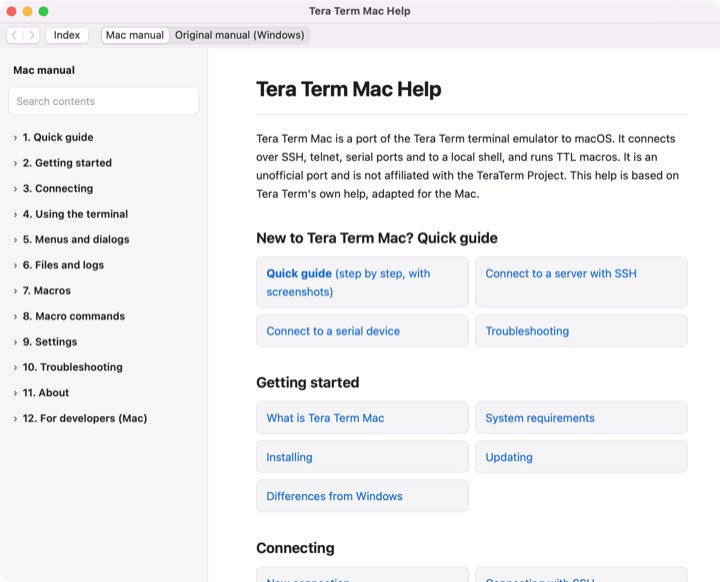
The help window opened with [Help] > [Index]
Contact
Please report bugs and requests in GitHub Issues.
Tera Term Mac is developed by a separate team from TeraTerm Project (which develops the Windows version). Please do not contact TeraTerm Project about Tera Term Mac.